
If you think Python tuples are just “read-only lists,” you are missing out on some of the cleanest syntax optimizations and performance boosts available in modern Python.
Tuples are lightweight, immutable, and optimized under the hood by the CPython interpreter. Learning how to leverage them properly will make your code faster, cleaner, and more Pythonic.
Here are 7 modern Python tuple tricks, shortcuts, and structural secrets every developer should know.
1. Structural Pattern Matching (Python 3.10+)
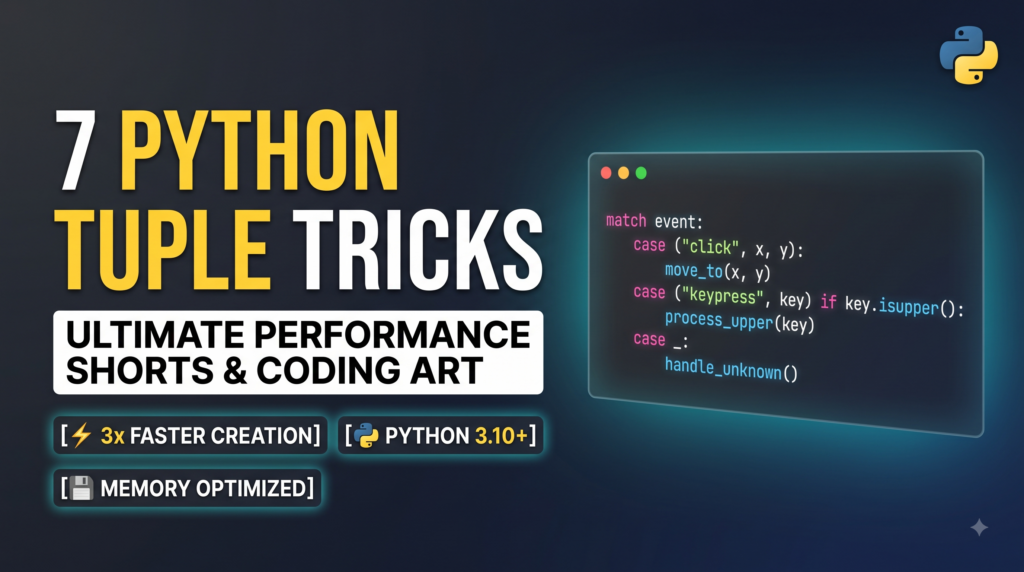
Forget writing long chains of if-elif-else statements with indexed checks like if data[0] == "GET":. Modern Python allows you to destruct and match tuples structurally with match-case.
Python
def process_event(event: tuple):
    match event:
        case ("click", x, y):
            print(f"Mouse clicked at position ({x}, {y})")
        case ("keypress", key) if key.isupper():
            print(f"Uppercase key pressed: {key}")
        case ("keypress", key):
            print(f"Key pressed: {key}")
        case ("quit", *rest):
            print("Quitting program with extra data:", rest)
        case _:
            print("Unknown event format")

# Usage
process_event(("click", 102, 450))
process_event(("quit", "save_session", True))
Why it works:
match-case automatically checks the shape, length, and content of the tuple at runtime while extracting individual elements into local variables (x, y, key) seamlessly.
2. Advanced Unpacking with the Star (*) Operator
You don’t need to slice tuples using [1:-1] to isolate start, middle, and end elements. Python allows you to capture arbitrary sections using *.
Python
# Extract head, middle, and tail from a tuple
record = ("HTTP", "200", "OK", "127.0.0.1", "application/json", 1024)

protocol, status, *headers, size = record

print(protocol) # 'HTTP'
print(status)   # '200'
print(headers)  # ['OK', '127.0.0.1', 'application/json']
print(size)     # 1024
Pro Tip: The variable with
*always extracts zero or more elements into a list, regardless of where it appears in the assignment.
3. High-Performance Immutable Structs with typing.NamedTuple
Traditional tuples lack self-documenting field names. Standard dictionaries add memory overhead. While collections.namedtuple was the old fix, modern Python uses type-annotated typing.NamedTuple.
Python
from typing import NamedTuple

class UserSession(NamedTuple):
    user_id: int
    username: str
    is_admin: bool = False  # Default value support

# Instantiation
session = UserSession(user_id=42, username="alex_dev")

# Access via attribute or tuple index
print(session.username) # alex_dev
print(session[0])       # 42

# Immutability enforced
# session.is_admin = True  # Raises AttributeError!
Benefits:
- Memory Efficient: Requires significantly less RAM than standard dictionaries or class instances.
- IDE Friendly: Offers full auto-complete and static type checking support.
- Tuple Compatibility: Passes directly into any function expecting a standard tuple.
4. Hashable Dictionary Keys & Set Members
Because lists are mutable, they cannot be hashed or used as dictionary keys or set elements. Tuples are immutable and hashable (provided all items inside the tuple are also hashable).
Python
# Grid location mapping in a game or matrix
grid_values = {
    (0, 0): "Origin",
    (1, 0): "East",
    (0, 1): "North",
}

# Checking unique coordinate hits using a set
visited_coordinates = {(10, 20), (10, 21), (11, 20)}

print(grid_values[(0, 1)]) # "North"
5. Under-the-Hood Memory Optimization: Tuples vs. Lists
Python allocates exact memory for tuples because their size is fixed upon creation. Lists, on the other hand, allocate extra space (“over-allocating”) to make dynamic .append() operations faster.
Python
import sys

empty_list = []
empty_tuple = ()

small_list = [1, 2, 3, 4, 5]
small_tuple = (1, 2, 3, 4, 5)

print(f"List size:  {sys.getsizeof(small_list)} bytes")   # ~104 bytes
print(f"Tuple size: {sys.getsizeof(small_tuple)} bytes")  # ~80 bytes
Modern Python Allocation Trick:
CPython recycles empty and small tuples internally! Re-creating an empty tuple returns the exact same memory object, whereas creating a list always creates a brand-new object in RAM.
Python
a = ()
b = ()
print(a is b)  # True (Same object in memory!)

x = []
y = []
print(x is y)  # False (Two separate memory locations)
6. The Instant Swap Without Temporary Variables
Swapping values in C or Java requires a temporary placeholder variable. In Python, comma separation creates an implicit tuple on the right-hand side and unpacks it on the left.
Python
a = 100
b = 200

# Swap in a single line
a, b = b, a

print(f"a: {a}, b: {b}") # a: 200, b: 100
How it works:
- Python evaluates the right side
(b, a)first, building a 2-element tuple in memory:(200, 100). - It then unpacks the tuple into
aandb.
7. The Single-Element Trap (And How to Avoid It)
A common mistake for beginners is trying to define a single-element tuple with just parentheses. Parentheses around an expression without a trailing comma are treated as standard mathematical grouping.
Python
# NOT a tuple!
not_a_tuple = ("python")
print(type(not_a_tuple)) # <class 'str'>

# THIS is a tuple:
is_a_tuple = ("python",)
print(type(is_a_tuple))  # <class 'tuple'>

# Cleaner alternative:
also_a_tuple = "python",
print(type(also_a_tuple)) # <class 'tuple'>
Summary Cheat Sheet
| Feature | Best For | Modern Python Requirement |
|---|---|---|
match-case | Replacing messy nested if-else branching | Python 3.10+ |
typing.NamedTuple | Clean, self-documenting data structures | Python 3.6+ |
a, *rest = data | Isolating parts of collections quickly | Python 3.0+ |
| Tuple Keys | Using multi-value lookup keys in dicts/sets | Any Python version |
Takeaway
Use lists when you need a homogeneous collection of items that changes dynamically over time. Use tuples when you know the collection shape, want to guard against unintended mutation, or need to save memory in high-scale applications.