
Python While Loops are one of the most useful tools for writing programs that need to repeat an operation until a condition changes.
Unlike a for loop, which is commonly used when iterating over a known sequence or range, a while loop is ideal when you don’t know exactly how many iterations will be required.
From input validation and menu systems to searching, state machines, retry logic, counters, and algorithmic problems, mastering while loops can make your Python code significantly more flexible.
In this guide, you’ll learn 25+ practical Python while-loop tricks, modern coding patterns, shortcuts, common mistakes, and professional techniques.
What Is a Python While Loop?
The basic structure is:
while condition:
    # code to repeat
Python evaluates the condition before every iteration. If it is True, the loop body executes. When the condition becomes False, the loop stops.
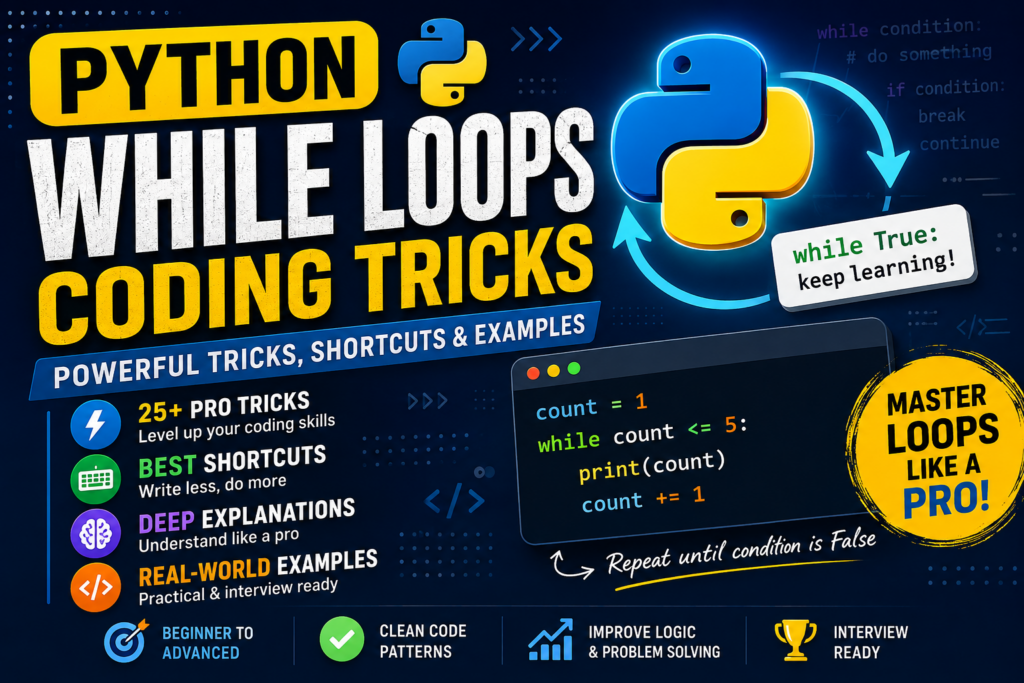
Basic Example
count = 1

while count <= 5:
    print(count)
    count += 1
Output:
1
2
3
4
5
The Logic
Think of it as:
Check condition
      ↓
   True?
   /   \
 Yes    No
  ↓      ↓
Run    Stop
code
  ↓
Update
  ↓
Check again
The most important rule is:
A while loop needs a condition that can eventually become false unless you intentionally want an infinite loop.
1. The Classic Counter Trick
The simplest professional pattern is a counter.
i = 0

while i < 10:
    print(i)
    i += 1
Shortcut
Instead of:
i = i + 1
use:
i += 1
Similarly:
i -= 1
i *= 2
i //= 2
These are called augmented assignment operators.
2. Count Backwards
A while loop isn’t limited to increasing numbers.
count = 5

while count > 0:
    print(count)
    count -= 1
Output:
5
4
3
2
1
This pattern is useful for countdowns, reverse processing, and algorithms that move toward a lower boundary.
3. The while True Pattern
One of the most useful Python patterns is:
while True:
    # repeated operation

    if condition:
        break
Example:
while True:
    command = input("Enter q to quit: ")

    if command == "q":
        break

    print("You entered:", command)
Why is this useful?
Sometimes the stopping condition is easier to understand inside the loop than in the loop header.
Instead of forcing a complicated condition into:
while complicated_condition:
you can write:
while True:
    ...
    if stop_condition:
        break
This can make interactive programs easier to read.
4. Infinite Loop — Intentional vs Accidental
An intentional infinite loop:
while True:
    print("Running...")
will continue indefinitely unless something inside the loop stops it.
A common accidental infinite loop is:
count = 1

while count <= 5:
    print(count)
What’s wrong?
count never changes.
Therefore:
count = 1
count = 1
count = 1
...
The condition never becomes false.
Fix
count = 1

while count <= 5:
    print(count)
    count += 1
Professional Rule
Whenever you write a while loop, ask:
What changes that will eventually make the condition false?
5. Use break to Exit Immediately
break terminates the nearest loop immediately.
number = 1

while number <= 10:
    if number == 6:
        break

    print(number)
    number += 1
Output:
1
2
3
4
5
The moment number == 6, the loop ends.
Mental Shortcut
Remember:
break = EXIT LOOP
6. Use continue to Skip an Iteration
continue skips the remaining code in the current iteration and goes back to the condition check.
number = 0

while number < 10:
    number += 1

    if number % 2 == 0:
        continue

    print(number)
Output:
1
3
5
7
9
Mental Shortcut
break     → leave the loop
continue  → skip this round
This distinction is extremely important.
7. The Powerful while...else Trick
Python allows an else clause with a while loop. The else block executes when the loop finishes normally because its condition becomes false. If the loop exits through break, the else block is skipped.
Example:
number = 1

while number <= 5:
    print(number)
    number += 1
else:
    print("Loop completed")
Output:
1
2
3
4
5
Loop completed
But:
number = 1

while number <= 5:
    if number == 3:
        break

    print(number)
    number += 1
else:
    print("Loop completed")
Output:
1
2
The else does not execute because break terminated the loop.
Professional Use
This pattern is particularly useful when you need to distinguish:
Loop completed normally
        vs
Loop terminated early
8. Search With while...else
A classic algorithmic use is searching for a value.
numbers = [4, 8, 15, 16, 23, 42]

i = 0

while i < len(numbers):
    if numbers[i] == 23:
        print("Found!")
        break

    i += 1
else:
    print("Not found")
Here:
breakmeans the item was found.elsemeans the loop finished without finding it.
This is one of the most interesting Python loop patterns.
9. Use Truthiness as a Shortcut
Python allows many objects to be evaluated directly as True or False.
For example:
items = [1, 2, 3]

while items:
    item = items.pop()
    print(item)
The loop continues while items is non-empty.
When the list becomes:
[]
its truth value is false, so the loop stops.
This is cleaner than:
while len(items) > 0:
Prefer:
while items:
when checking whether a collection contains elements.
10. Process a List Until It Is Empty
This pattern is extremely useful.
tasks = ["email", "backup", "report"]

while tasks:
    task = tasks.pop()
    print("Processing:", task)
Output:
Processing: report
Processing: backup
Processing: email
This treats the list like a simple stack.
11. Input Validation Trick
A while loop is perfect for validating user input.
age = input("Enter your age: ")

while not age.isdigit():
    print("Please enter a number.")
    age = input("Enter your age: ")

age = int(age)

print("Age:", age)
The loop continues until the input satisfies the condition.
General Pattern
while not valid:
    get_input()
This is one of the most reusable while loop patterns for beginner and intermediate projects.
12. Use Assignment Expressions Carefully
Modern Python supports the assignment expression operator :=.
It can sometimes make input loops shorter.
Instead of:
command = input("Command: ")

while command != "quit":
    print(command)
    command = input("Command: ")
you can write:
while (command := input("Command: ")) != "quit":
    print(command)
This is concise, but don’t sacrifice readability just to make code shorter.
Professional Rule
Shorter code is not automatically better code.
Use := when it makes the flow clearer, not merely because it reduces lines.
13. Sentinel-Controlled While Loop
A sentinel is a special value that tells the program to stop.
while True:
    value = input("Enter a word: ")

    if value == "quit":
        break

    print(value)
Here:
"quit"
is the sentinel.
This pattern is common in command-line programs and interactive applications.
14. Menu System With while
A menu-driven program is a perfect real-world use case.
while True:
    print("\n1. Add")
    print("2. View")
    print("3. Exit")

    choice = input("Choose: ")

    if choice == "1":
        print("Adding...")
    elif choice == "2":
        print("Viewing...")
    elif choice == "3":
        break
    else:
        print("Invalid choice")
The loop keeps the program running until the user chooses to exit.
15. Avoid Repeating Code With a Function
Instead of putting a huge amount of logic inside a loop:
while condition:
    # 50 lines
extract functionality into functions.
def process_item(item):
    return item.upper()

items = ["python", "loops", "coding"]

while items:
    item = items.pop()
    print(process_item(item))
Professional Benefit
Functions make your loop:
- easier to test
- easier to read
- easier to maintain
- easier to reuse
16. Use a Flag When the State Matters
Sometimes you need to track whether something happened.
found = False
i = 0

while i < len(numbers):
    if numbers[i] == 50:
        found = True
        break

    i += 1

if found:
    print("Found")
else:
    print("Not found")
However, for simple searches, while...else can often eliminate the extra flag.
17. The Two-Pointer While Loop Trick
while loops are heavily used in algorithmic problems involving two pointers.
Example:
numbers = [1, 2, 3, 4, 5]

left = 0
right = len(numbers) - 1

while left < right:
    print(numbers[left], numbers[right])

    left += 1
    right -= 1
The two indexes move toward each other.
This general technique appears in:
- array problems
- palindrome checking
- searching
- partitioning
- string algorithms
18. Fast Palindrome Check Pattern
A two-pointer loop can check whether a string reads the same from both directions.
text = "level"

left = 0
right = len(text) - 1

while left < right:
    if text[left] != text[right]:
        print("Not palindrome")
        break

    left += 1
    right -= 1
else:
    print("Palindrome")
The else executes only if the loop completes without break.
This combines two powerful techniques:
while + two pointers + else
19. Don’t Use while When for Is Clearly Better
A common beginner mistake is using while everywhere.
Instead of:
i = 0

while i < len(numbers):
    print(numbers[i])
    i += 1
prefer:
for number in numbers:
    print(number)
Why?
The for version expresses the intention more directly:
“For every number, do something.”
Use while when the repetition depends primarily on a changing condition or state.
20. Use while for Unknown Number of Attempts
Suppose a program should keep asking until a valid response appears:
answer = ""

while answer not in {"yes", "no"}:
    answer = input("Continue? yes/no: ").lower()

print("Response:", answer)
The number of iterations is unknown.
That’s a strong reason to use while.
21. Multiple Conditions
A while condition can contain logical operators.
score = 0
attempts = 0

while score < 100 and attempts < 5:
    score += 20
    attempts += 1

print(score)
The loop continues only while both conditions are true.
You can also use:
while condition_a or condition_b:
Shortcut
Remember:
and → everything must be true
or  → at least one must be true
not → reverse the Boolean result
22. Guard Against Infinite Loops
Professional developers think about loop termination before writing the loop.
Bad:
x = 10

while x > 0:
    print(x)
Good:
x = 10

while x > 0:
    print(x)
    x -= 1
Three Questions to Ask
Before running a while loop:
- What starts the state?
- What changes the state?
- What condition stops the loop?
If you cannot answer all three, inspect your loop carefully.
23. Avoid Unnecessary continue
This:
while condition:
    if something:
        continue

    process()
can sometimes be simplified.
For example:
while condition:
    if not something:
        process()
Neither style is universally better. Choose the version that makes the control flow easiest to understand.
Professional Principle
Use
continuewhen it makes the main path clearer, not merely because it is available.
24. Nested While Loops
You can put one while loop inside another.
row = 1

while row <= 3:
    column = 1

    while column <= 3:
        print(row, column)
        column += 1

    row += 1
This produces coordinate-style combinations.
Nested loops are useful for:
- grids
- matrices
- simulations
- combinations
- pattern problems
But remember that nested loops can become expensive as the amount of data grows.
25. The “Consume Until Empty” Pattern
One of the cleanest patterns for queues or stacks is:
while data:
    item = data.pop()
    process(item)
This avoids manually tracking the number of remaining items.
The collection itself becomes the loop condition.
26. Retry Pattern
A loop can represent repeated attempts.
attempts = 0

while attempts < 3:
    attempts += 1

    success = do_something()

    if success:
        break
Conceptually:
Attempt
   ↓
Success?
 /    \
Yes    No
 ↓      ↓
Stop   Retry
This is useful for operations where a limited number of attempts makes sense.
27. State Machine Pattern
A more advanced use of while is processing different states.
state = "start"

while state != "done":

    if state == "start":
        print("Starting...")
        state = "processing"

    elif state == "processing":
        print("Processing...")
        state = "done"
The loop continues while the program’s state changes.
This concept appears in:
- games
- parsers
- workflows
- user interfaces
- automation systems
28. Professional Shortcut: Keep the Condition Simple
Avoid extremely complicated loop conditions such as:
while x < 100 and y != 0 and not finished and status in allowed_states and ...:
Instead, calculate meaningful state first:
can_continue = x < 100 and y != 0

while can_continue:
    ...
Or use a descriptive function:
while should_continue():
    process()
Readable conditions are easier to debug.
29. Debugging Trick: Print the State
If a loop behaves strangely, temporarily print the variables controlling it.
count = 0

while count < 5:
    print("DEBUG:", count)

    count += 1
For complicated loops, inspect:
print("state =", state)
print("index =", index)
print("condition =", condition)
This quickly reveals why a loop is:
- stopping too early
- running too long
- skipping data
- becoming infinite
30. The Ultimate While Loop Mental Model
Whenever you see:
while condition:
    action()
    update()
translate it mentally to:
WHILE the condition is TRUE:

    DO the work

    CHANGE something

    CHECK again
For example:
count = 1

while count <= 5:
    print(count)
    count += 1
Think:
Is 1 <= 5? YES
Print 1
Increase count

Is 2 <= 5? YES
Print 2
Increase count

...

Is 6 <= 5? NO
STOP
Once you understand this model, most while loops become much easier.
Python While Loop Cheat Sheet
| Task | Best Pattern |
|---|---|
| Count upward | while i < limit: |
| Count downward | while i > 0: |
| Infinite loop | while True: |
| Exit loop | break |
| Skip iteration | continue |
| Detect normal completion | while...else |
| Process until collection empty | while items: |
| Validate input | while not valid: |
| Unknown repetitions | while condition: |
| Menu program | while True + break |
| Search | while + break + else |
| Two pointers | while left < right: |
| State machine | while state != "done": |
10 Best While Loop Shortcuts to Memorize
Shortcut 1 — Increment
i += 1
Shortcut 2 — Decrement
i -= 1
Shortcut 3 — Infinite loop
while True:
Shortcut 4 — Exit
break
Shortcut 5 — Skip
continue
Shortcut 6 — Non-empty collection
while items:
instead of:
while len(items) > 0:
Shortcut 7 — Loop completion
while condition:
    ...
else:
    ...
Shortcut 8 — Two pointers
left = 0
right = len(data) - 1

while left < right:
    ...
    left += 1
    right -= 1
Shortcut 9 — Sentinel
while True:
    value = get_value()

    if value == STOP:
        break
Shortcut 10 — Assignment expression
while (value := get_value()) != STOP:
    process(value)
Use this last pattern only when it improves readability.
Common Python While Loop Mistakes
Mistake 1: Forgetting to Update the Variable
i = 0

while i < 10:
    print(i)
Problem: i never changes.
Mistake 2: Updating in the Wrong Direction
i = 10

while i > 0:
    i += 1
The condition remains true forever.
Correct:
i = 10

while i > 0:
    i -= 1
Mistake 3: Off-by-One Errors
Compare:
while i < 5:
with:
while i <= 5:
The first stops before 5; the second includes 5.
Mistake 4: Accidentally Skipping the Update
Be careful with continue:
i = 0

while i < 10:
    if i == 5:
        continue

    i += 1
When i becomes 5, continue jumps back to the condition without increasing i.
The loop gets stuck.
A safer structure is:
i = 0

while i < 10:
    i += 1

    if i == 5:
        continue

    print(i)
Performance Tip: Think About Complexity
A simple loop:
i = 0

while i < n:
    i += 1
performs approximately n iterations.
Its time complexity is:
O(n)
A nested loop can become:
O(n²)
For example:
i = 0

while i < n:
    j = 0

    while j < n:
        j += 1

    i += 1
Understanding the number of iterations is more important than simply making the loop syntax shorter.
Modern Python Philosophy: Optimize for Clarity
A professional Python programmer doesn’t necessarily write the shortest possible loop.
Instead, aim for:
Readable
Predictable
Correct
Maintainable
Efficient when necessary
For example, this may be technically compact:
while (x := get_value()) != "quit": process(x)
But this may be clearer:
while True:
    x = get_value()

    if x == "quit":
        break

    process(x)
Clean code beats clever code.
Final Python While Loop Formula
Memorize this:
initialize

while condition:
    process()
    update()
For interactive programs:
while True:
    get_input()

    if should_stop:
        break

    process()
For searching:
while condition:
    if found:
        break

    move_forward()
else:
    not_found()
For collections:
while items:
    item = items.pop()
    process(item)
For two pointers:
left = 0
right = len(data) - 1

while left < right:
    process(data[left], data[right])
    left += 1
    right -= 1
Conclusion
Python while loops are much more than a basic repetition mechanism. Once you understand conditions, state changes, break, continue, while...else, truthiness, sentinel values, two-pointer techniques, and state machines, you can use them to build much more sophisticated programs.
The biggest trick isn’t memorizing dozens of syntaxes.
It’s learning to ask:
What state am I tracking, what changes during each iteration, and exactly what condition should stop the loop?
Master that idea and while loops become predictable.
Quick Memory Card
while condition:
    repeat

break
    → exit completely

continue
    → skip current iteration

while...else
    → else runs after normal completion

while items:
    → repeat while collection is non-empty

while True:
    → repeat until break

left < right
    → common two-pointer pattern
Python’s official documentation confirms that while repeatedly evaluates its condition, and that break exits the loop while continue proceeds to the next condition check.
Recommended SEO Keywords:
Python While Loop, Python While Loop Tricks, Python While Loop Examples, Python Loop Shortcuts, Python Coding Tricks, Python Programming Tips, Python while Statement, Python Break Continue, Python While Else, Python Loop Techniques, Learn Python Loops, Python Beginner Guide, Python Advanced Tricks, Python Coding Tips.