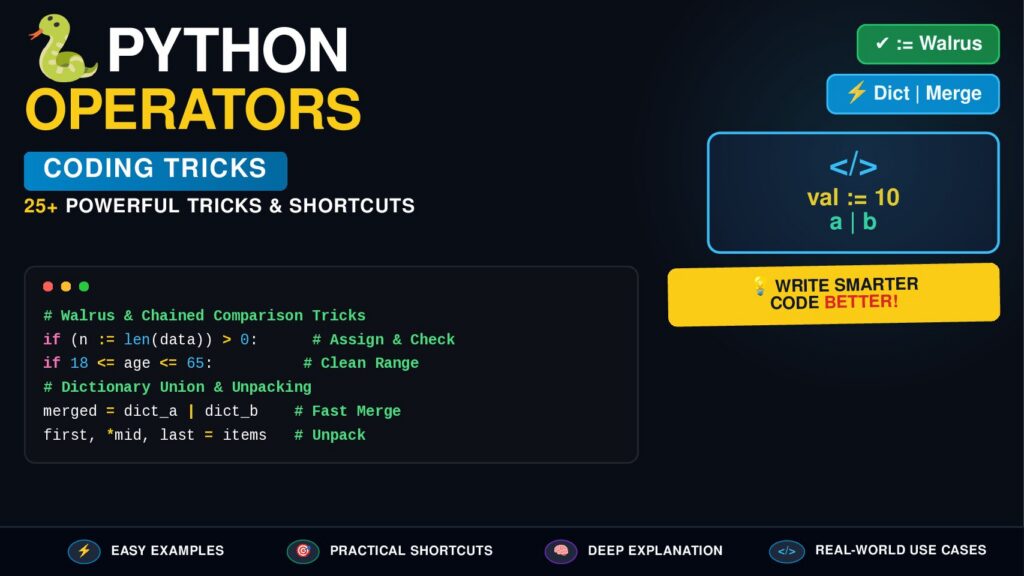

Python operators are the building blocks that let you calculate values, compare data, combine conditions, modify variables, test membership, and work with objects.
But knowing operators such as +, -, ==, and and is only the beginning.
Modern Python developers can use operators together with chained comparisons, assignment expressions, unpacking, conditional expressions, set operations, identity checks, and bitwise techniques to write code that is shorter, cleaner, and easier to maintain.
In this guide, you’ll learn 25+ practical Python operator tricks, including when to use them, why they work, and common mistakes to avoid.
Python Operators Cheat Sheet
| Operator Type | Operators | Main Purpose |
|---|---|---|
| Arithmetic | + - * / // % ** | Mathematical operations |
| Comparison | == != > < >= <= | Compare values |
| Logical | and or not | Combine conditions |
| Assignment | = += -= *= /= | Assign/update values |
| Bitwise | & | ^ ~ << >> | Work with binary bits |
| Membership | in, not in | Check collection membership |
| Identity | is, is not | Check object identity |
| Conditional | x if condition else y | Inline decisions |
| Assignment Expression | := | Assign inside expressions |
| Matrix | @ | Matrix multiplication |
1. Use // for Fast Integer Division
The / operator returns a floating-point result.
result = 17 / 5
print(result)
Output:
3.4
When you need floor division:
result = 17 // 5
print(result)
Output:
3
Trick
Use // when dividing values into complete groups.
students = 47
per_group = 6

groups = students // per_group
print(groups)
This gives the number of complete groups.
Note:
//performs floor division, so negative values can behave differently from simply truncating toward zero.
2. Use % to Find Remainders
The modulo operator % returns the remainder.
print(17 % 5)
Output:
2
A very common trick is checking whether a number is even:
number = 24

if number % 2 == 0:
    print("Even")
Or odd:
if number % 2 != 0:
    print("Odd")
Real-world use
if age % 5 == 0:
    print("Milestone!")
The % operator is useful for:
- Even/odd checks
- Repeating patterns
- Cyclic counters
- Time calculations
- Grouping
- Pagination logic
3. Use ** for Powers
Instead of manually multiplying:
square = 8 * 8
Use:
square = 8 ** 2
Cube:
cube = 5 ** 3
Shortcut
number ** 2
is a clean way to calculate a square.
number ** 3
calculates a cube.
4. Combine Arithmetic Operators
Python follows standard operator precedence.
result = 10 + 5 * 2
print(result)
Output:
20
Multiplication happens before addition.
Use parentheses when you want to make the intention explicit:
result = (10 + 5) * 2
Output:
30
Professional trick
Don’t rely on complicated precedence when parentheses make the code easier to understand.
Prefer:
total = (price * quantity) + shipping
over unnecessarily complex expressions.
5. Use Comparison Chaining
One of Python’s most elegant operator features is chained comparison.
Instead of:
if age >= 13 and age <= 19:
    print("Teenager")
You can write:
if 13 <= age <= 19:
    print("Teenager")
This is shorter and highly readable.
Another example:
if 0 < score < 100:
    print("Valid score")
Why this is powerful
Python evaluates the comparison chain logically without requiring you to repeat the variable.
6. Use == for Value Comparison
Use:
a == b
when you want to know whether two values are equal.
name = "Python"

if name == "Python":
    print("Correct")
Important distinction
== checks value equality.
is checks object identity.
Do not normally replace:
a == b
with:
a is b
7. Use is None Correctly
A professional Python convention is:
if value is None:
    print("No value")
Instead of:
if value == None:
    print("No value")
Use is None when checking specifically for the singleton None.
Likewise:
if value is not None:
    print(value)
Best practice
if result is None:
    ...
This is clearer and follows standard Python style.
8. Use and for Conditional Logic
The and operator requires both conditions to be truthy.
age = 20
has_ticket = True

if age >= 18 and has_ticket:
    print("Allowed")
Both conditions must pass.
9. Use or for Fallback Logic
The or operator is extremely useful for choosing a fallback.
username = ""
display_name = username or "Guest"

print(display_name)
Output:
Guest
Modern shortcut
Instead of:
if username:
    display_name = username
else:
    display_name = "Guest"
you can often use:
display_name = username or "Guest"
Important
This works based on truthiness.
Values such as these are falsy:
False
None
0
""
[]
{}
So only use this shortcut when treating all those values as equivalent to “missing” is appropriate.
10. Use not to Reverse a Boolean
logged_in = False

if not logged_in:
    print("Please log in")
This is especially useful for readable conditions.
if not items:
    print("No items found")
This is generally cleaner than:
if len(items) == 0:
11. The in Operator Is a Superpower
Use in to check membership.
languages = ["Python", "JavaScript", "Go"]

if "Python" in languages:
    print("Found")
It also works with strings:
if "py" in "python":
    print("Found")
And dictionaries:
user = {"name": "Alex", "age": 20}

if "name" in user:
    print("Name exists")
Important dictionary trick
For dictionaries, in checks keys by default.
"name" in user
checks keys, not values.
12. Use not in for Negative Membership
blocked = ["admin", "root"]

username = "alex"

if username not in blocked:
    print("Username available")
This is cleaner than manually looping through the collection.
13. Assignment Operators Make Updates Cleaner
Instead of:
score = score + 10
use:
score += 10
Other useful forms:
score -= 5
price *= 2
value /= 4
count //= 3
number %= 10
power **= 2
These operators are particularly useful inside loops and state updates.
14. The Walrus Operator :=
Python introduced the assignment expression operator:
:=
It lets you assign a value while using it inside an expression.
Example:
if (length := len("Python")) > 5:
    print(f"Length: {length}")
Output:
Length: 6
Without it:
length = len("Python")

if length > 5:
    print(f"Length: {length}")
Loop example
while (command := input("Command: ")) != "quit":
    print("You entered:", command)
The operator can reduce repeated calculations.
Professional warning
Don’t use := simply because it is shorter.
Use it when it genuinely improves readability.
15. Conditional Expressions: One-Line Decisions
Python supports a compact conditional expression:
result = "Pass" if score >= 40 else "Fail"
Instead of:
if score >= 40:
    result = "Pass"
else:
    result = "Fail"
This is excellent for simple decisions.
Avoid deeply nested conditional expressions because they quickly become difficult to read.
16. Use + to Join Strings
first = "Python"
second = "Programming"

title = first + " " + second
However, for modern formatting, f-strings are usually more readable:
name = "Alex"
message = f"Hello, {name}!"
The + operator remains useful when explicitly concatenating strings.
17. Use * to Repeat Sequences
The multiplication operator can repeat sequences.
print("Python " * 3)
Output:
Python Python Python
It also works with lists:
numbers = [0] * 5
print(numbers)
Output:
[0, 0, 0, 0, 0]
Important pitfall
Be careful with nested mutable objects.
Avoid:
matrix = [[0] * 3] * 3
because the rows reference the same inner list.
Prefer:
matrix = [[0] * 3 for _ in range(3)]
18. Set Operators for Fast Data Operations
Python sets provide powerful operators.
a = {1, 2, 3, 4}
b = {3, 4, 5, 6}
Union
print(a | b)
Result:
{1, 2, 3, 4, 5, 6}
Intersection
print(a & b)
Result:
{3, 4}
Difference
print(a - b)
Result:
{1, 2}
Symmetric difference
print(a ^ b)
Result:
{1, 2, 5, 6}
These operators are often much cleaner than manually writing loops.
19. Bitwise AND &
Bitwise operators work at the binary level.
For example:
a = 6
b = 3

print(a & b)
Binary representation:
6 = 110
3 = 011
---------
    010
Result:
2
Bitwise operations are useful for:
- Flags
- Permissions
- Binary protocols
- Low-level programming
- Performance-sensitive numerical operations
20. Bitwise OR |
a = 4
b = 2

result = a | b
print(result)
Binary:
100
010
---
110
Result:
6
Bitwise OR is commonly used when combining independent flags.
21. XOR ^ — A Powerful Bitwise Trick
XOR returns 1 when the corresponding bits are different.
a = 5
b = 3

print(a ^ b)
XOR also has useful mathematical properties.
For example:
x ^ x = 0
x ^ 0 = x
This makes XOR useful in certain algorithms involving binary flags and unique values.
However, don’t use clever XOR tricks when a straightforward Python expression would be easier to understand.
22. Shift Operators << and >>
Left shift:
x = 4
print(x << 1)
Result:
8
Right shift:
x = 16
print(x >> 2)
Result:
4
For non-negative integers, shifting left by one bit corresponds to multiplying by 2, while shifting right by one bit corresponds to floor division by 2.
For normal application code, however, explicit arithmetic is often clearer.
23. Matrix Multiplication with @
Python provides a dedicated matrix multiplication operator:
@
Example:
result = matrix_a @ matrix_b
Its actual behavior depends on the objects involved.
Libraries such as NumPy use @ extensively for matrix multiplication.
This is one of Python’s specialized operators designed to make mathematical code more expressive.
24. Use := Inside List Processing Carefully
The assignment expression can sometimes avoid repeated work.
For example:
values = [10, 20, 30, 40]

result = [
    doubled
    for value in values
    if (doubled := value * 2) > 40
]

print(result)
This calculates the doubled value once and then uses it for filtering and output.
But remember
Compact code isn’t automatically better code.
If the expression becomes difficult to understand, use a normal loop.
25. Use not in Instead of Long Boolean Expressions
Instead of:
if username != "admin" and username != "root":
    ...
use:
if username not in {"admin", "root"}:
    ...
This expresses the intent more directly.
For a collection of forbidden values, a set is also a natural data structure for membership testing.
26. Combine Operators for Validation
Python comparison chaining makes validation elegant.
age = 18

if 13 <= age < 20:
    print("Valid range")
You can also combine it with logical operators:
if 0 <= score <= 100 and score != 50:
    print("Valid")
This style can make validation rules very readable.
27. Use Parentheses to Control Logic
Consider:
if is_admin or is_editor and active:
    ...
Python evaluates and before or.
That means it behaves like:
if is_admin or (is_editor and active):
    ...
If your intended logic is:
(admin OR editor) AND active
write it explicitly:
if (is_admin or is_editor) and active:
    ...
Professional rule
Use parentheses when they improve clarity, even when Python’s precedence rules already give the desired result.
28. Avoid is for Ordinary Value Comparison
This is a common beginner mistake:
if name is "Python":
    ...
Use:
if name == "Python":
    ...
Use is primarily for identity checks such as:
if value is None:
    ...
The distinction is:
==  → Do these values compare equal?
is  → Are these the same object?
29. Use Operator Precedence Wisely
A simplified precedence order is:
()
**
+x, -x, ~x
*, /, //, %
+, -
<<, >>
&
^
|
<, <=, >, >=, ==, !=, in, is
not
and
or
if ... else
You don’t need to memorize every level.
Instead, write expressions that communicate your intent clearly.
30. Python Operators + Truthiness
One of Python’s most useful concepts is that logical operators return operands rather than always returning True or False.
For example:
result = "" or "Python"
print(result)
Output:
Python
And:
result = "Python" and "Programming"
print(result)
Output:
Programming
This behavior explains why patterns such as:
name = username or "Guest"
work.
Understanding truthiness + and + or is one of the most useful Python operator skills.
31. Bonus Trick: Use operator for Functional Programming
Python also provides the built-in operator module.
from operator import add

result = add(10, 20)

print(result)
Output:
30
You can also use operators as callable functions:
from operator import mul

numbers = [1, 2, 3, 4]

result = list(map(mul, numbers, [2, 2, 2, 2]))

print(result)
Output:
[2, 4, 6, 8]
This can be useful when an API expects a function rather than an operator expression.
32. Bonus Trick: Comparison Operators Can Be Combined with all()
Instead of manually checking several conditions:
if a > 0 and b > 0 and c > 0:
    print("All positive")
you can sometimes express the logic with:
if all(x > 0 for x in (a, b, c)):
    print("All positive")
This is especially useful when the number of values is dynamic.
33. Bonus Trick: Use any() for OR-Style Checks
Instead of:
if username == "admin" or username == "root":
    ...
you could write:
if any(username == name for name in ("admin", "root")):
    ...
For a simple fixed set of names, however, this is usually less direct than:
if username in {"admin", "root"}:
    ...
Choose the clearest expression, not simply the shortest one.
34. Operator Shortcuts Worth Memorizing
Here is a compact cheat sheet:
# Arithmetic
a + b       # Add
a - b       # Subtract
a * b       # Multiply
a / b       # True division
a // b      # Floor division
a % b       # Remainder
a ** b      # Power

# Comparison
a == b      # Equal
a != b      # Not equal
a > b       # Greater
a < b       # Less
a >= b      # Greater/equal
a <= b      # Less/equal

# Logical
a and b
a or b
not a

# Membership
x in items
x not in items

# Identity
x is y
x is not y

# Assignment
x += value
x -= value
x *= value
x /= value
x //= value
x %= value
x **= value

# Set operations
a | b       # Union
a & b       # Intersection
a - b       # Difference
a ^ b       # Symmetric difference

# Bitwise
a & b
a | b
a ^ b
~a
a << n
a >> n

# Modern
value := expression
35. Best Python Operator Practices
✅ Prefer readable expressions
Good:
if 18 <= age <= 60:
    ...
✅ Use is None
if result is None:
    ...
✅ Use membership operators
Good:
if status in {"active", "pending"}:
    ...
✅ Use assignment shortcuts
counter += 1
✅ Use parentheses when logic is complex
if (admin or editor) and active:
    ...
❌ Don’t use is for normal value comparison
Avoid:
if x is 10:
Prefer:
if x == 10:
❌ Don’t sacrifice readability for cleverness
Shorter code isn’t always better code.
The best Python code is usually clear, expressive, and easy to maintain.
Python Operators: The Professional Mental Model
A useful way to remember Python operators is to group them by the question they answer:
What should I calculate?
→ Arithmetic operators

Are these values related?
→ Comparison operators

Should multiple conditions pass?
→ Logical operators

Is this value inside a collection?
→ Membership operators

Are these two references the same object?
→ Identity operators

How should I update this variable?
→ Assignment operators

How should I manipulate binary data?
→ Bitwise operators

How can I express a simple decision?
→ Conditional expression

How can I assign while evaluating an expression?
→ Assignment expression
Once you understand these categories, Python operators become much easier to use.
Final Python Operator Challenge
Try predicting the output before running this:
x = 10
y = 3

print(x // y)
print(x % y)
print(x ** 2)
print(1 < y < 5)
print("Py" in "Python")
print(x > 5 and y < 5)
print(x or y)
Expected output:
3
1
100
True
True
True
10
If you can explain why every line produces that result, you have a strong understanding of Python’s core operators.
Conclusion
Python operators may look simple, but they provide some of the language’s most powerful shortcuts.
The most useful techniques to master are:
//for floor division%for remainder and cyclic logic**for powers- Chained comparisons such as
10 <= x < 100 and,or, andnotfor expressive conditionsinandnot infor membershipis Nonefor identity checks+=,-=,*=, and similar assignment shortcuts- Set operators such as
|,&,-, and^ :=for carefully chosen assignment expressions@for matrix multiplication- Bitwise operators for binary and flag-based operations
The real goal isn’t to write the shortest possible Python code.
The goal is to write code where the operators make your intention obvious.
Professional Python = expressive syntax + correct behavior + readable code.
Quick SEO Keywords
Python Operators, Python Operators Tutorial, Python Operator Tricks, Python Coding Tricks, Python Shortcuts, Python Operators Cheat Sheet, Arithmetic Operators in Python, Logical Operators in Python, Comparison Operators Python, Bitwise Operators Python, Membership Operators Python, Identity Operators Python, Python Walrus Operator, Python Assignment Operators, Modern Python Tips, Python Programming Tricks, Python Beginner Guide, Advanced Python