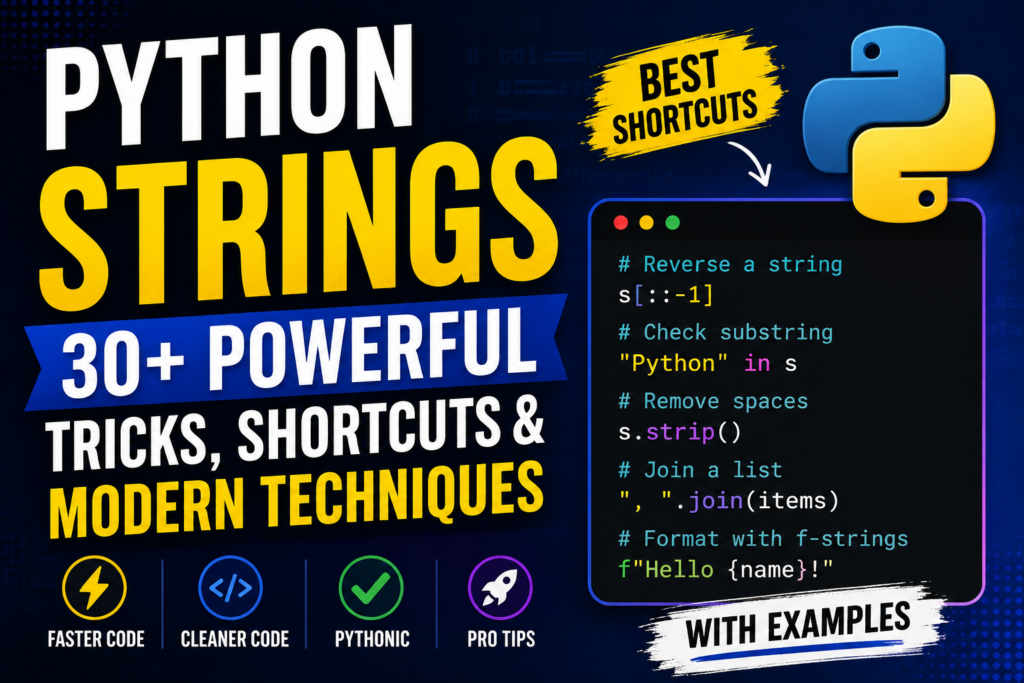

Python Strings are one of the most important data types in Python. Whether you are building web applications, automation scripts, APIs, data-processing tools, or AI applications, you will work with strings constantly.
But Python provides far more powerful string techniques than simply using + to join text.
In this guide, you’ll learn 30+ professional Python String tricks and shortcuts that can make your code shorter, cleaner, faster to understand, and more Pythonic.
Pro Tip: Most Python string operations return a new string because Python strings are immutable. The original string is not modified.
🔥 Python String Tricks Cheat Sheet
| Trick | Python Shortcut |
|---|---|
| Create a string | "Python" |
| Multiline string | """Hello""" |
| Convert to uppercase | s.upper() |
| Convert to lowercase | s.lower() |
| Remove surrounding spaces | s.strip() |
| Replace text | s.replace("old", "new") |
| Split text | s.split(",") |
| Join items | ",".join(items) |
| Check substring | "Py" in s |
| Start check | s.startswith("Py") |
| End check | s.endswith(".py") |
| Reverse string | s[::-1] |
| Slice string | s[1:5] |
| Format text | f"{name}" |
| Count characters | s.count("a") |
| Find text | s.find("Python") |
| Remove prefix | s.removeprefix("Mr. ") |
| Remove suffix | s.removesuffix(".txt") |
| Check digits | s.isdigit() |
| Check letters | s.isalpha() |
| Check alphanumeric | s.isalnum() |
| Sort characters | "".join(sorted(s)) |
| Character frequency | Counter(s) |
| Split lines | s.splitlines() |
| Center text | s.center(30, "-") |
1. Create Strings the Pythonic Way
Strings can be created using single quotes, double quotes, or triple quotes.
name = "Python"
language = 'Python'

description = """
Python is simple.
Python is powerful.
Python is popular.
"""
Professional Tip
Use whichever quote style makes your string easier to read.
message = "Python's syntax is simple."
Instead of unnecessarily escaping:
message = 'Python\'s syntax is simple.'
2. Use f-Strings Instead of String Concatenation
One of the most useful modern Python string tricks is the f-string.
❌ Old approach
name = "Divesh"
age = 20

message = "My name is " + name + " and I am " + str(age)
✅ Modern approach
name = "Divesh"
age = 20

message = f"My name is {name} and I am {age}"
Output:
My name is Divesh and I am 20
f-strings are cleaner and easier to maintain.
3. Perform Expressions Inside f-Strings
You can put Python expressions directly inside an f-string.
price = 100
quantity = 3

print(f"Total: ₹{price * quantity}")
Output:
Total: ₹300
You can even call functions:
name = "python"

print(f"Language: {name.upper()}")
Output:
Language: PYTHON
🔥 Shortcut
Instead of:
upper_name = name.upper()
print(f"Language: {upper_name}")
you can directly write:
print(f"Language: {name.upper()}")
4. Format Numbers Inside Strings
f-strings are extremely useful for formatting numbers.
price = 123456.789

print(f"₹{price:,.2f}")
Output:
₹123,456.79
Useful formatting shortcuts
number = 42

print(f"{number:05}")
Output:
00042
Percentage:
score = 0.9567

print(f"{score:.2%}")
Output:
95.67%
5. Reverse a String with One Line
One of the most famous Python string tricks:
text = "Python"

reverse = text[::-1]

print(reverse)
Output:
nohtyP
How does it work?
The slicing syntax is:
string[start:stop:step]
Using:
[::-1]
means:
- Start → beginning
- Stop → end
- Step →
-1
Therefore Python walks through the string backward.
6. Check Whether a String Is a Palindrome
A palindrome reads the same forward and backward.
word = "level"

if word == word[::-1]:
    print("Palindrome")
else:
    print("Not a palindrome")
Output:
Palindrome
Professional version
For user input, normalization is useful:
word = input("Enter a word: ").strip().lower()

if word == word[::-1]:
    print("Palindrome")
7. Check if Text Exists Using in
You don’t need complicated functions to check whether one string contains another.
text = "Python is powerful"

if "Python" in text:
    print("Found")
❌ Unnecessary
if text.find("Python") != -1:
    print("Found")
✅ Pythonic
if "Python" in text:
    print("Found")
This is shorter and easier to understand.
8. Use not in for Negative Checks
You can also check that something does not exist.
text = "Python programming"

if "Java" not in text:
    print("Java is not present")
This is especially useful for validation.
9. Convert Text to Uppercase or Lowercase
text = "Python Programming"

print(text.upper())
print(text.lower())
Output:
PYTHON PROGRAMMING
python programming
10. Use casefold() for Better Case-Insensitive Comparisons
For simple English text, lower() is often enough.
But for robust Unicode-aware case-insensitive comparisons, Python provides:
a = "Python"
b = "PYTHON"

if a.casefold() == b.casefold():
    print("Same")
lower() vs casefold()
text.lower()
is common for normal lowercase conversion.
text.casefold()
is designed specifically for aggressive case-insensitive comparison.
Pro Tip
Use casefold() when you’re comparing user-entered Unicode text and want more reliable case-insensitive matching.
11. Remove Extra Spaces with strip()
User input often contains unwanted spaces.
username = "   Divesh   "

print(username.strip())
Output:
Divesh
There are three useful methods:
text.strip()
text.lstrip()
text.rstrip()
Meaning
strip()   → both sides
lstrip()  → left side
rstrip()  → right side
Example:
text = "   Python   "

print(text.strip())
print(text.lstrip())
print(text.rstrip())
12. Modern Prefix and Suffix Removal
Python provides dedicated methods for removing known prefixes and suffixes.
filename = "report.txt"

print(filename.removesuffix(".txt"))
Output:
report
Similarly:
name = "Mr. Divesh"

print(name.removeprefix("Mr. "))
Output:
Divesh
Why is this better?
Instead of manually slicing:
filename[:-4]
you can clearly communicate your intention:
filename.removesuffix(".txt")
This makes code easier to maintain.
13. Split a String into a List
The split() method is one of the most useful string tools.
text = "Python Java C++ JavaScript"

languages = text.split()

print(languages)
Output:
['Python', 'Java', 'C++', 'JavaScript']
You can provide a separator:
data = "Python,Java,C++,JavaScript"

languages = data.split(",")

print(languages)
14. Split Text Only a Limited Number of Times
The second argument controls the maximum number of splits.
text = "Python:Programming:Language"

result = text.split(":", 1)

print(result)
Output:
['Python', 'Programming:Language']
This is useful when processing structured text.
15. Split Lines with splitlines()
For multiline strings, splitlines() is often cleaner than manually splitting on \n.
text = """Python
Java
C++"""

languages = text.splitlines()

print(languages)
Output:
['Python', 'Java', 'C++']
16. Join Strings Like a Professional
Suppose you have:
languages = ["Python", "Java", "C++"]
Instead of manually concatenating:
result = languages[0] + ", " + languages[1] + ", " + languages[2]
use:
result = ", ".join(languages)

print(result)
Output:
Python, Java, C++
🔥 Remember This Pattern
separator.join(iterable)
Examples:
"-".join(["2026", "08", "10"])
Output:
2026-08-10
And:
" ".join(["Python", "is", "awesome"])
Output:
Python is awesome
17. Replace Text Quickly
Use replace() when you need to substitute text.
text = "I love Java"

text = text.replace("Java", "Python")

print(text)
Output:
I love Python
18. Replace Only a Specific Number of Occurrences
You can control how many replacements occur.
text = "cat cat cat"

result = text.replace("cat", "dog", 1)

print(result)
Output:
dog cat cat
The third parameter specifies the maximum number of replacements.
19. Count Characters or Words
Use count() to count occurrences.
text = "banana"

print(text.count("a"))
Output:
3
You can also count words:
text = "Python is easy and Python is powerful"

print(text.count("Python"))
Output:
2
Important
count() performs substring counting. It does not perform full natural-language word-boundary analysis.
20. Find Text with find()
text = "Python Programming"

position = text.find("Programming")

print(position)
Output:
7
If the substring isn’t found:
print(text.find("Java"))
Output:
-1
find() vs index()
text.find("Java")
returns:
-1
when not found.
While:
text.index("Java")
raises an exception.
For simple searching, in is usually clearer:
if "Java" in text:
    ...
21. Use startswith() and endswith()
These are perfect for file names, URLs, commands, and validation.
filename = "python.py"

if filename.endswith(".py"):
    print("Python file")
Check the beginning:
url = "https://example.com"

if url.startswith("https://"):
    print("Secure URL")
You can also test multiple options:
filename = "script.py"

if filename.endswith((".py", ".pyw")):
    print("Python file")
This is a very useful professional shortcut.
22. Check Whether a String Contains Only Digits
value = "12345"

print(value.isdigit())
Output:
True
But remember:
"123.45".isdigit()
returns:
False
because the decimal point isn’t a digit.
23. Check for Letters with isalpha()
text = "Python"

print(text.isalpha())
Output:
True
But:
"Python3".isalpha()
returns:
False
because the string contains a digit.
24. Check for Letters and Numbers with isalnum()
text = "Python123"

print(text.isalnum())
Output:
True
Useful for simple identifier-like validation.
25. Check for Whitespace with isspace()
text = "   "

print(text.isspace())
Output:
True
This can help detect strings containing only whitespace.
26. Use partition() for Clean Splitting
partition() is a powerful alternative to split() when you want exactly three pieces:
before separator
separator
after separator
Example:
email = "user@example.com"

username, separator, domain = email.partition("@")

print(username)
print(domain)
Output:
user
example.com
Why is this useful?
Unlike split(), partition() always returns three elements.
27. Remove the First or Last Character
Using slicing:
text = "Python"

print(text[1:])
Output:
ython
Remove the last character:
print(text[:-1])
Output:
Pytho
Remove both:
print(text[1:-1])
Output:
ytho
28. Extract Parts of a String with Slicing
Python slicing is one of the most useful string shortcuts.
text = "Python"
First three characters
print(text[:3])
Output:
Pyt
From position 2 onward
print(text[2:])
Output:
thon
Last three characters
print(text[-3:])
Output:
hon
Reverse
print(text[::-1])
29. Get the First and Last Character
text = "Python"

first = text[0]
last = text[-1]

print(first, last)
Output:
P n
The -1 index is a particularly useful Python shortcut.
30. Sort Characters in a String
You can use sorted():
text = "python"

result = "".join(sorted(text))

print(result)
Output:
hnopty
Remember that sorted() returns a list, so join() converts it back into a string.
31. Remove Duplicate Characters
A quick technique is:
text = "programming"

result = "".join(dict.fromkeys(text))

print(result)
Output:
progamin
Why dict.fromkeys()?
Modern Python dictionaries preserve insertion order, allowing this technique to remove duplicates while keeping the first occurrence of each character.
32. Count Character Frequency with Counter
For frequency analysis, collections.Counter is extremely useful.
from collections import Counter

text = "banana"

count = Counter(text)

print(count)
Result:
Counter({'a': 3, 'n': 2, 'b': 1})
Get the most common characters:
print(count.most_common(2))
Output:
[('a', 3), ('n', 2)]
33. Build a Character Frequency Dictionary
Without Counter, you could write a loop.
But a compact approach is:
text = "banana"

frequency = {}

for char in text:
    frequency[char] = frequency.get(char, 0) + 1

print(frequency)
Output:
{'b': 1, 'a': 3, 'n': 2}
This technique is useful for learning how frequency counting works internally.
34. Use translate() for Multiple Character Replacements
If you need to replace several individual characters, translate() can be cleaner.
text = "hello world"

table = str.maketrans({
    "h": "H",
    "w": "W"
})

print(text.translate(table))
Output:
Hello World
This becomes especially useful when many character substitutions are required.
35. Remove Punctuation Quickly
For simple ASCII punctuation removal:
import string

text = "Hello, Python!"

result = text.translate(
    str.maketrans("", "", string.punctuation)
)

print(result)
Output:
Hello Python
This is useful in text-processing tasks.
36. Use Raw Strings for Paths and Regular Expressions
Raw strings are useful when backslashes should generally be treated literally.
path = r"C:\Users\Divesh\Documents"
Without a raw string, backslashes can introduce escape sequences.
Raw strings are also commonly used with regular expressions:
pattern = r"\d+"
37. Multiline Strings Without \n
Instead of manually writing newline characters:
text = "Python\nis\nawesome"
you can use triple quotes:
text = """Python
is
awesome"""
This is much easier to read for long multiline text.
38. String Multiplication Trick
Python allows strings to be multiplied.
print("-" * 30)
Output:
------------------------------
This is great for creating simple console separators.
Another example:
print("=" * 50)
print("PYTHON")
print("=" * 50)
39. Center Text for CLI Output
Use center() to create simple terminal banners.
title = "PYTHON"

print(title.center(30, "-"))
Output:
------------PYTHON------------
Other useful methods:
text.ljust(20, ".")
text.rjust(20, ".")
text.center(20, ".")
These are useful when creating command-line interfaces.
40. Use removeprefix() Instead of Manual Slicing
Suppose:
url = "https://example.com"
Instead of calculating the prefix length:
url = url[8:]
use:
url = url.removeprefix("https://")
This is clearer because the code explains exactly what you are removing.
41. Normalize User Input
A very common real-world pattern is:
username = input("Username: ").strip().casefold()
This combines two useful operations:
.strip()
removes surrounding whitespace.
.casefold()
creates a strong case-insensitive representation.
For example:
username = input("Username: ").strip().casefold()

if username == "admin":
    print("Welcome!")
This is much better than assuming users will enter text exactly as expected.
42. Clean Multiple Spaces
Python’s split() + join() provides a surprisingly useful normalization trick.
text = "Python    is     very    powerful"

clean = " ".join(text.split())

print(clean)
Output:
Python is very powerful
Why does it work?
split() without an argument treats runs of whitespace as separators.
Then:
" ".join(...)
puts the words back together using exactly one space.
43. Extract the Domain from an Email
For simple educational examples:
email = "user@example.com"

domain = email.partition("@")[2]

print(domain)
Output:
example.com
This is concise and readable.
Note: Real email validation can be much more complicated than checking for
@.
44. Extract a File Extension
For a simple filename:
filename = "photo.jpg"

extension = filename.rsplit(".", 1)[-1]

print(extension)
Output:
jpg
For production applications, however, Python’s pathlib is usually a better choice for filesystem paths.
45. Compare Strings Safely
Simple comparison:
a = "Python"
b = "Python"

print(a == b)
Case-insensitive comparison:
a = "Python"
b = "PYTHON"

print(a.casefold() == b.casefold())
This is preferable to repeatedly converting both strings using lower() when Unicode-aware case-insensitive comparison matters.
46. Escape Special Characters
Python supports common escape sequences.
print("Hello\nPython")
Output:
Hello
Python
Tab:
print("Name:\tDivesh")
Quotes:
print("He said \"Hello\"")
But choose quote styles intelligently to avoid unnecessary escaping.
47. Unicode Strings Are Built In
Python 3 strings support Unicode.
text = "Python 🐍"

print(text)
You can also work with many international languages:
text = "नमस्ते Python"

print(text)
This is one reason Python is convenient for modern multilingual applications.
48. Convert Between Strings and Bytes
Strings and bytes are different types.
text = "Python"

data = text.encode("utf-8")

print(data)
Output resembles:
b'Python'
Convert back:
text = data.decode("utf-8")

print(text)
Remember
str  → encode() → bytes
bytes → decode() → str
This distinction becomes important when working with files, sockets, APIs, and binary data.
49. Check the Type of a String
text = "Python"

print(type(text))
Output:
<class 'str'>
The Python string type is:
str
You can explicitly convert values:
number = 100

text = str(number)

print(text)
50. Python String Immutability Trick
This is a fundamental concept.
You cannot modify an individual character directly:
text = "Python"

# text[0] = "J"  # TypeError
Instead, create a new string:
text = "J" + text[1:]

print(text)
Output:
Jython
Methods such as:
upper()
replace()
strip()
lower()
also return new strings.
For example:
text = "python"

text.upper()

print(text)
The output remains:
python
You need:
text = text.upper()
🚀 10 High-Value Python String One-Liners
If you want the most useful shortcuts to memorize first, start here.
1. Reverse
s[::-1]
2. Check substring
"Python" in s
3. Remove spaces
s.strip()
4. Normalize whitespace
" ".join(s.split())
5. Join a list
", ".join(items)
6. Split a string
s.split(",")
7. Format variables
f"Hello {name}"
8. Check extension
filename.endswith(".py")
9. Remove a suffix
filename.removesuffix(".txt")
10. Character frequency
from collections import Counter
Counter(s)
⚡ Professional Python String Patterns
Here are several patterns worth remembering.
Pattern 1 — Normalize input
value = input().strip().casefold()
Pattern 2 — Create a CSV-like string
result = ", ".join(items)
Pattern 3 — Reverse
reverse = text[::-1]
Pattern 4 — Remove duplicate characters
unique = "".join(dict.fromkeys(text))
Pattern 5 — Collapse whitespace
clean = " ".join(text.split())
Pattern 6 — Check multiple extensions
if filename.endswith((".jpg", ".png", ".webp")):
    print("Image")
Pattern 7 — Count characters
from collections import Counter

frequency = Counter(text)
🧠 Common Python String Mistakes
Mistake 1 — Forgetting strings are immutable
❌
name.upper()
print(name)
✅
name = name.upper()
Mistake 2 — Using + for lots of text
Instead of:
result = a + ", " + b + ", " + c
prefer:
result = ", ".join([a, b, c])
For large-scale repeated concatenation, consider accumulating pieces in a list and joining once.
Mistake 3 — Using find() when in is enough
❌
if text.find("Python") != -1:
    print("Found")
✅
if "Python" in text:
    print("Found")
Mistake 4 — Using manual slicing to remove known prefixes
❌
url = url[8:]
✅
url = url.removeprefix("https://")
The second version documents the intention.
Mistake 5 — Forgetting that split() returns a list
text = "Python Java C++"

result = text.split()

print(type(result))
Output:
<class 'list'>
If you need a string again:
" ".join(result)
🏆 Python Strings: Quick Master Cheat Sheet
# Case
s.upper()
s.lower()
s.casefold()

# Whitespace
s.strip()
s.lstrip()
s.rstrip()

# Search
"Python" in s
s.find("Python")
s.startswith("Py")
s.endswith(".py")

# Replace
s.replace("old", "new")

# Prefix / suffix
s.removeprefix("Mr. ")
s.removesuffix(".txt")

# Split / Join
s.split(",")
s.splitlines()
", ".join(items)

# Slicing
s[:3]
s[3:]
s[-3:]
s[::-1]

# Character tests
s.isdigit()
s.isalpha()
s.isalnum()
s.isspace()

# Formatting
f"Hello {name}"
f"{price:,.2f}"
f"{value:.2%}"

# Frequency
from collections import Counter
Counter(s)

# Sorting
"".join(sorted(s))

# Duplicate removal
"".join(dict.fromkeys(s))

# Whitespace normalization
" ".join(s.split())
🎯 Final Takeaway
Python strings look simple at first, but they provide a powerful collection of tools for text processing, validation, formatting, searching, parsing, automation, and data cleaning.
The most important techniques to master are:
- f-strings for modern formatting
- Slicing for fast extraction and reversal
split()+join()for text transformationinfor readable substring checksstrip()for cleaning user inputstartswith()/endswith()for validationreplace()for text substitutioncasefold()for robust case-insensitive comparisonsCounterfor frequency analysisremoveprefix()/removesuffix()for clean modern code
The real power of Python strings isn’t memorizing every method. It’s learning to recognize which small operation solves a problem cleanly.
Pythonic rule: Prefer code that is short because it is clear—not code that is short merely to look clever.
🔥 Bonus: 15-Second Revision
s = "  Python is Powerful  "

s = s.strip()
s = s.casefold()

print(s[::-1])
print("python" in s)
print(" ".join(s.split()))
Once these patterns become familiar, you’ll find yourself writing significantly cleaner Python code for everyday text-processing tasks.
Suggested WordPress SEO Metadata
SEO Title: Python Strings: 30+ Powerful Coding Tricks, Shortcuts & Modern Techniques
Meta Description: Master Python Strings with 30+ professional coding tricks, shortcuts, examples, f-strings, slicing, split, join, replace, Counter, validation, formatting, and modern Python techniques.
Suggested URL Slug: python-strings-coding-tricks
Focus Keyword: Python Strings
Secondary Keywords: Python String Tricks, Python String Methods, Python String Shortcuts, Python Coding Tricks, Python String Examples, Python Programming Tricks
Suggested Tags:Python, Python Strings, Python String Tricks, Python String Methods, Python Coding, Python Programming, Python Tips, Python Shortcuts, Python Tutorial, Learn Python