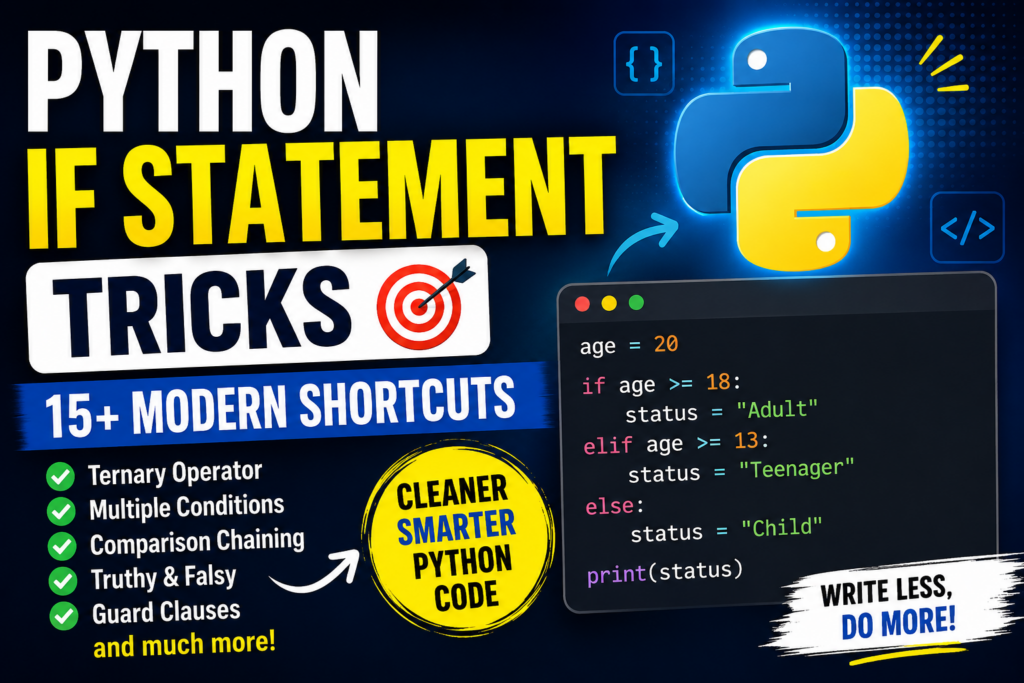

Python If Statement Tricks are one of the easiest ways to write cleaner, smarter, and more readable Python code. The basic if statement is simple, but Python provides several powerful techniques that can make conditional logic shorter and more expressive.
In this guide, you’ll learn 15+ professional Python if statement tricks, including:
- Clean
if / elif / elsepatterns - One-line
ifstatements - Python’s ternary operator
- Multiple conditions with
andandor - Membership testing with
in - Comparison chaining
- Truthy and falsy values
- Guard clauses
- Assignment expressions with
:= - Dictionary-based alternatives
- When to use
match - Common mistakes and performance-friendly patterns
Let’s dive in.
1. Python If Statement: The Basic Pattern
The if statement executes code when a condition evaluates to true.
age = 20

if age >= 18:
    print("Adult")
How it works
Python evaluates:
age >= 18
If the result is True, the indented block executes.
Python’s official syntax supports an if clause, zero or more elif clauses, and an optional else clause.
2. Use if / elif / else for Multiple Conditions
Instead of writing several independent if statements, use elif when only one result should be selected.
score = 82

if score >= 90:
    grade = "A"
elif score >= 80:
    grade = "B"
elif score >= 70:
    grade = "C"
else:
    grade = "F"

print(grade)
Output:
B
Professional trick
Put conditions in the order that makes the most logical sense.
if score >= 90:
    ...
elif score >= 80:
    ...
elif score >= 70:
    ...
Python checks the conditions from top to bottom and stops once one condition succeeds.
3. One-Line If Statement
For a very small action, Python allows a simple statement on the same line.
age = 20

if age >= 18: print("Adult")
This is valid Python.
However, don’t use one-line conditions when they make the code harder to read.
Better for simple logic
if is_logged_in:
    print("Welcome!")
Avoid overly complicated one-liners
if age >= 18 and user.is_active and user.has_permission:
    print("Allowed")
Readable code is usually better than squeezing everything onto one line.
4. Python Ternary Operator — The Ultimate If Shortcut
One of the most useful Python shortcuts is the conditional expression.
Instead of:
age = 20

if age >= 18:
    status = "Adult"
else:
    status = "Minor"
You can write:
status = "Adult" if age >= 18 else "Minor"
This is called a conditional expression or commonly a ternary expression. Python evaluates the condition and returns one of the two expressions.
Syntax
value_if_true if condition else value_if_false
Example
number = 10

result = "Even" if number % 2 == 0 else "Odd"

print(result)
Output:
Even
Best use
Use this when the condition is short and the result is easy to understand.
5. Combine Conditions with and
Use and when all conditions must be true.
age = 25
has_id = True

if age >= 18 and has_id:
    print("Access granted")
Both conditions must evaluate as true.
Shortcut
Instead of:
if age >= 18:
    if has_id:
        print("Access granted")
you can often write:
if age >= 18 and has_id:
    print("Access granted")
This reduces unnecessary nesting.
6. Use or for Alternative Conditions
Use or when at least one condition can be true.
day = "Saturday"

if day == "Saturday" or day == "Sunday":
    print("Weekend")
A cleaner version is:
if day in {"Saturday", "Sunday"}:
    print("Weekend")
This is particularly useful when checking whether a value belongs to a collection of accepted values.
7. The in Trick — Cleaner Than Multiple ors
Instead of:
command = "start"

if command == "start" or command == "run" or command == "go":
    print("Starting...")
Use:
if command in {"start", "run", "go"}:
    print("Starting...")
This is shorter and communicates the intent clearly.
Another example
extension = ".py"

if extension in {".py", ".pyw"}:
    print("Python file")
Professional tip
For membership tests, in is usually much cleaner than a long chain of equality comparisons.
8. Comparison Chaining — A Beautiful Python Shortcut
Python allows chained comparisons.
Instead of:
age >= 13 and age <= 19
you can write:
13 <= age <= 19
Example:
temperature = 25

if 20 <= temperature <= 30:
    print("Comfortable")
Python’s comparison operators can be chained, and the middle expressions are evaluated according to Python’s comparison semantics.
More examples
if 0 <= score <= 100:
    print("Valid score")
if 1 < number < 10:
    print("Number is between 1 and 10")
This is one of Python’s most readable conditional shortcuts.
9. Use Truthy and Falsy Values
Python doesn’t require you to explicitly compare everything with True.
Instead of:
items = []

if len(items) > 0:
    print("Items available")
you can write:
if items:
    print("Items available")
For an empty collection:
items = []

if not items:
    print("No items")
Python considers values such as empty collections and None false in Boolean contexts, while non-empty objects are generally true.
Common examples
if username:
    print("Username provided")
if not data:
    print("No data")
if results:
    process(results)
This is an essential Python coding style.
10. The is None Trick
When checking specifically for None, use:
if value is None:
    print("No value")
Instead of:
if value == None:
    print("No value")
For the opposite:
if value is not None:
    print(value)
Why?
None represents the absence of a value, and identity testing with is is the conventional Python approach.
11. Guard Clauses — Reduce Deep Nesting
One of the best professional techniques is the guard clause.
Instead of:
def process_user(user):
    if user:
        if user.is_active:
            if user.has_permission:
                return "Processed"

    return "Denied"
You can simplify it:
def process_user(user):
    if not user:
        return "Denied"

    if not user.is_active:
        return "Denied"

    if not user.has_permission:
        return "Denied"

    return "Processed"
Why guard clauses are powerful
They:
- Reduce indentation
- Make failure conditions obvious
- Keep the main logic easy to read
- Make functions easier to maintain
Modern Python style
Prefer:
if invalid:
    return
over creating several levels of nested conditions.
12. Short-Circuit Evaluation with and
Python’s and can be used to prevent an expression from being evaluated when it isn’t necessary.
user = None

if user and user.is_active:
    print("Active user")
If user is falsy, Python doesn’t need to evaluate:
user.is_active
This is called short-circuit evaluation.
Practical example
data = None

if data and data.get("name"):
    print(data["name"])
This can protect you from attempting to access attributes or operations that require an existing value.
13. Short-Circuit Defaults with or
A common Python shortcut is:
name = username or "Guest"
If username contains a truthy value, it is used.
Otherwise:
Guest
is used.
Example:
username = ""

display_name = username or "Guest"

print(display_name)
Output:
Guest
Python’s or expression returns one of its operands rather than necessarily returning True or False.
Important warning
This checks truthiness, not specifically whether the value is None.
For example:
value = 0

result = value or 100
produces:
100
If 0 is a valid value that you want to preserve, use an explicit None check instead:
result = 100 if value is None else value
14. Use := When You Need a Value and a Condition
Modern Python provides the assignment expression operator:
:=
It allows you to assign a value while using that value in an expression.
Example:
if (name := input("Name: ")):
    print(f"Hello, {name}")
Here:
name := input(...)
assigns the result to name, while the expression itself is also evaluated as the assigned value.
Assignment expressions were introduced in Python 3.8.
Another example
if (match := pattern.search(text)):
    print(match.group())
This can eliminate repeated calculations.
Don’t overuse it
Good:
if (result := calculate()):
    process(result)
Bad:
if (x := complicated_function()) and (y := another_function(x)) and y > 10:
    ...
If a condition becomes difficult to understand, use normal assignments.
15. Multiple Conditions with Parentheses
When conditions become complex, parentheses can improve readability.
if (
    age >= 18
    and is_active
    and has_permission
):
    print("Allowed")
This is much easier to maintain than a very long single line.
Professional rule
Optimize for readability, not minimum character count.
A shorter condition isn’t automatically better code.
16. Use any() Instead of Long OR Chains
Suppose you have:
if name == "Alex" or name == "Sam" or name == "John":
    print("Found")
A more flexible approach can be:
names = {"Alex", "Sam", "John"}

if name in names:
    print("Found")
For more complex conditions, any() can be useful:
if any(score > 90 for score in scores):
    print("High score found")
This asks:
Is at least one item satisfying the condition?
17. Use all() When Every Condition Must Pass
Instead of manually combining many Boolean expressions:
if age >= 18 and score >= 50 and username:
    print("Valid")
You can sometimes express the idea using all():
checks = [
    age >= 18,
    score >= 50,
    bool(username)
]

if all(checks):
    print("Valid")
all() is especially useful when conditions are generated dynamically.
18. Replace Simple If Chains with a Dictionary
Sometimes you’re using if / elif only to map values to results.
For example:
def get_color(code):
    if code == 1:
        return "Red"
    elif code == 2:
        return "Green"
    elif code == 3:
        return "Blue"
    else:
        return "Unknown"
A dictionary can be cleaner:
def get_color(code):
    colors = {
        1: "Red",
        2: "Green",
        3: "Blue"
    }

    return colors.get(code, "Unknown")
Why this is useful
It separates:
Data
from:
Control flow
This pattern is particularly useful when you have a large number of simple mappings.
19. Use match for Complex Value-Based Branching
Modern Python also provides the match statement.
Example:
command = "start"

match command:
    case "start":
        print("Starting")
    case "stop":
        print("Stopping")
    case "pause":
        print("Pausing")
    case _:
        print("Unknown command")
Python’s match statement supports structural pattern matching and can be useful when comparing a subject against multiple patterns.
When should you use match?
Use it when:
- You have many structured patterns
- You need pattern matching
- Several cases represent distinct states
if / elifhas become difficult to read
For simple conditions, ordinary if statements are often clearer.
20. Use not for Negative Conditions
Instead of:
if is_logged_in == False:
    print("Please log in")
prefer:
if not is_logged_in:
    print("Please log in")
For collections:
if not users:
    print("No users found")
For optional values:
if not username:
    print("Username required")
This makes the intent concise.
21. Avoid == True and == False
Avoid:
if is_valid == True:
    ...
Prefer:
if is_valid:
    ...
And:
if not is_valid:
    ...
This is cleaner and more idiomatic Python.
22. The if + Function Return Trick
Instead of:
def check_age(age):
    if age >= 18:
        return True
    else:
        return False
you can often simply write:
def check_age(age):
    return age >= 18
Because the comparison already produces a Boolean result.
Another example
Instead of:
def is_empty(items):
    if not items:
        return True
    return False
use:
def is_empty(items):
    return not items
This is shorter without sacrificing readability.
23. Conditional Assignment with a Function
You can combine a function call with a conditional expression:
message = "Welcome" if is_logged_in() else "Please log in"
This is useful when both branches simply produce values.
But if each branch contains multiple operations, use a normal if / else block.
24. The Best if Statement Pattern for Production Code
A professional function often looks like this:
def process_order(order):
    if not order:
        return "Invalid order"

    if not order.is_paid:
        return "Payment required"

    if order.is_cancelled:
        return "Order cancelled"

    return "Order processed"
Notice the structure:
- Reject invalid input
- Handle exceptional states
- Continue with the main operation
This makes the “happy path” easy to see.
25. Python If Statement Cheat Sheet
| Situation | Best Pattern |
|---|---|
| Basic condition | if condition: |
| Multiple branches | if / elif / else |
| Simple value selection | x if condition else y |
| All conditions required | and |
| Any alternative | or |
| Membership check | value in collection |
| Range check | low <= x <= high |
| Empty collection | if not items: |
| Existing value | if value: |
| Missing value | if value is None: |
| Avoid nesting | Guard clauses |
| Assign + test | if (x := func()): |
| Any matching condition | any(...) |
| Every condition | all(...) |
| Simple value mapping | Dictionary |
| Structural patterns | match / case |
26. Before vs After: Real Python Refactoring
❌ Beginner-style
if user != None:
    if user.is_active == True:
        if user.age >= 18:
            print("Allowed")
✅ Cleaner Python
if user and user.is_active and user.age >= 18:
    print("Allowed")
Or, when the conditions are independent validation failures:
if user is None:
    return

if not user.is_active:
    return

if user.age < 18:
    return

print("Allowed")
The second style can be easier to maintain as the validation logic grows.
27. 10 Python If Statement Shortcuts to Memorize
Shortcut #1 — Ternary
result = "Yes" if condition else "No"
Shortcut #2 — Membership
if value in items:
    ...
Shortcut #3 — Range
if 10 <= x <= 100:
    ...
Shortcut #4 — Truthiness
if items:
    ...
Shortcut #5 — Empty check
if not items:
    ...
Shortcut #6 — None check
if value is None:
    ...
Shortcut #7 — Multiple conditions
if a and b:
    ...
Shortcut #8 — Alternative conditions
if a or b:
    ...
Shortcut #9 — Assignment expression
if (result := calculate()):
    ...
Shortcut #10 — Guard clause
if invalid:
    return
28. Common Python If Statement Mistakes
Mistake 1: Forgetting the colon
Wrong:
if age >= 18
    print("Adult")
Correct:
if age >= 18:
    print("Adult")
Mistake 2: Incorrect indentation
Wrong:
if age >= 18:
print("Adult")
Correct:
if age >= 18:
    print("Adult")
Python uses indentation to define code blocks.
Mistake 3: Using = instead of ==
Wrong:
if age = 18:
    ...
Correct:
if age == 18:
    ...
= is assignment, while == compares values.
Mistake 4: Comparing directly with True
Avoid:
if active == True:
    ...
Prefer:
if active:
    ...
Mistake 5: Overusing nested if
Instead of:
if user:
    if user.active:
        if user.verified:
            ...
consider:
if not user:
    return

if not user.active:
    return

if not user.verified:
    return

...
29. Golden Rules for Professional Python Conditions
Rule 1 — Prefer readability
Don’t sacrifice readability just to save one line.
Rule 2 — Use Python’s built-in expressions
Use:
if value in values:
instead of a long sequence of comparisons.
Rule 3 — Use chained comparisons
Prefer:
0 <= score <= 100
when it accurately expresses the condition.
Rule 4 — Avoid unnecessary nesting
Guard clauses often make complex functions easier to understand.
Rule 5 — Use ternary expressions selectively
Good:
status = "OK" if valid else "Error"
Avoid extremely complicated nested ternaries.
Rule 6 — Don’t confuse falsy with None
These are different:
None
0
False
""
[]
If you specifically mean “no value”, use:
value is None
Rule 7 — Choose match based on the problem
Don’t replace every if statement with match.
30. Final Python If Statement Master Example
Here’s a compact example combining several professional techniques:
def validate_user(user):
    if user is None:
        return "User not found"

    if not user.is_active:
        return "Account inactive"

    if not 13 <= user.age <= 120:
        return "Invalid age"

    if user.role in {"admin", "editor"}:
        access = "Full"
    else:
        access = "Limited"

    return f"Access: {access}"
This example demonstrates:
is Nonenot- Chained comparisons
in- Guard clauses
- Clean conditional branching
- Readable production-style code
Conclusion
Python’s if statement looks simple, but mastering its surrounding techniques can dramatically improve your code.
The most valuable shortcuts to remember are:
# Ternary
result = x if condition else y

# Membership
if value in values:
    ...

# Range
if low <= value <= high:
    ...

# Truthiness
if items:
    ...

# None check
if value is None:
    ...

# Multiple conditions
if condition1 and condition2:
    ...

# Alternative conditions
if condition1 or condition2:
    ...

# Assignment expression
if (result := function()):
    ...

# Guard clause
if invalid:
    return
The goal isn’t to make every if statement shorter. The goal is to make conditional logic clear, predictable, and maintainable.
Once you understand these patterns, you’ll be able to write Python code that feels much more natural and professional.